


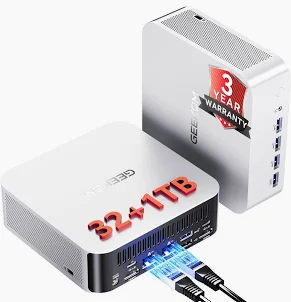
Mini PCs have become an attractive alternative to traditional desktops. They’re inexpensive, compact, powerful enough for everyday business workloads, and increasingly common in home labs and small offices.
But a newly confirmed security incident involving GEEKOM demonstrates something buyers often overlook: the computer itself isn’t the only thing you have to trust. You also have to trust the software and drivers supplied with it.
GEEKOM has acknowledged that a Realtek LAN driver package previously available through an older support page contained malicious software. Reports identified the malware as the Asruex backdoor, and multiple AMD-based GEEKOM Mini PC models were associated with the affected driver package.
I pay particular attention to incidents like this because I actually own a GEEKOM Mini PC that I use in my lab. So this isn’t just another abstract supply-chain security story for me. It’s also a reminder to review how I install and trust drivers on inexpensive lab and business hardware.
Which GEEKOM Mini PCs Were Affected?
The affected driver package has been associated with several AMD-based GEEKOM systems, including:
- GEEKOM A7
- GEEKOM A8
- GEEKOM AE7
- GEEKOM AE8
- GEEKOM AX7 Pro
- GEEKOM AX8 Pro
The suspicious executable was contained within a LAN/network driver package.
One important distinction: GEEKOM says these PCs were not shipped from the factory with the malicious driver preinstalled.
The problem involved a driver package available through a legacy GEEKOM support resource. According to the company’s explanation, that older page was no longer accessible via normal support navigation but remained online and could still appear in search engine results.
That’s an important distinction because owning one of these models does not automatically mean your PC is infected.
What Was Found in the GEEKOM Driver?
The affected package involved a Realtek LAN driver installer.
Independent analysis of the suspicious executable yielded detections across multiple security analysis platforms. Reporting subsequently identified the malware as the Asruex backdoor.
A backdoor is particularly concerning because it can provide an attacker with unauthorized access to a compromised system.
Reporting on the GEEKOM incident indicates that the malware was capable of stealing information and communicating with the command-and-control infrastructure.
This isn’t the kind of warning I would dismiss simply because an antivirus product flagged an old driver.
How Did a Malicious Driver Remain on an Official GEEKOM Page?
This is probably the most interesting part of the incident.
GEEKOM said the affected package was hosted on an outdated support page that a newer support system had replaced.
The legacy resource, however, wasn’t completely removed.
That meant someone searching Google for a GEEKOM driver could encounter an older official GEEKOM page that contains the problematic package.
Think about how most people evaluate a download.
You search:
GEEKOM A8 LAN driver
Google returns a result hosted on the manufacturer’s domain.
You see that it’s the official company website.
You download it.
Most users would consider that reasonable behavior.
And that’s exactly why this incident is worth paying attention to.
An “Official Website” Isn’t Automatically a Security Guarantee
Cybersecurity advice frequently tells people:
Only download software and drivers from the manufacturer’s official website.
That’s still generally good advice.
But the GEEKOM incident exposes an uncomfortable limitation.
A legitimate website can still host a compromised, outdated, or improperly maintained file.
Software supply-chain security isn’t only about attackers creating fake download websites.
Organizations also have to protect:
- Driver repositories
- Software packages
- Code-signing processes
- Legacy download servers
- Support portals
- Update infrastructure
- Old files indexed by search engines
If those systems aren’t properly maintained, an organization’s own infrastructure can become part of the risk.
What Should GEEKOM Owners Do?
First, don’t panic simply because you own a GEEKOM.
The available information does not indicate that every GEEKOM Mini PC was shipped with an infection.
The key question is whether you downloaded and executed the affected LAN driver from the legacy support resource. GEEKOM has since removed the affected legacy page and associated resources.
If You Downloaded the File but Did Not Run It
Delete the installer.
Then perform a security scan before continuing to use the system.
If You Installed the LAN Driver
I would take this more seriously.
At a minimum, run a Microsoft Defender Offline scan or another trusted endpoint security scan.
For a system where the affected executable was actually run—particularly one that contains sensitive information—I’d strongly consider a clean Windows installation rather than relying exclusively on an antivirus scan.
If You’re Not Sure
Check your download history, Downloads folder, and installation history if available.
And run a full security scan.
GEEKOM has also asked customers who may be affected to contact its support team. On August 18, the company said it would provide assistance and, where its technical assessment confirms the affected file caused a device malfunction, offer repair services and potentially replacement when repair isn’t possible.
Should You Completely Reinstall Windows?
For a confirmed backdoor infection, a clean installation gives me considerably more confidence than simply deleting the detected executable.
There’s an important difference between:
“My antivirus no longer detects malware.”
and:
“I rebuilt the operating system from known-good installation media.”
For a personal computer with little sensitive information, your risk decision may be different.
For a business computer, a cybersecurity lab, an administrative workstation, or any system that has accessed sensitive credentials, I’d lean toward rebuilding.
If you choose that route, obtain Windows installation media directly from Microsoft rather than restoring from an unknown image.
And after reinstalling Windows, change credentials that may have been exposed—especially if they were used while the system was potentially compromised.
Don’t Forget About Passwords
This is something users can easily miss.
Reinstalling Windows removes the compromised operating system.
It does not magically invalidate credentials that may already have been captured.
If you determine that you executed the malicious package, consider credentials used on that machine during the potential compromise window.
That can include:
- Email accounts
- Microsoft accounts
- Administrative accounts
- VPN credentials
- Banking or financial accounts
- Password-manager access
- Business applications
Change important passwords from a known-clean device, and make sure multifactor authentication is enabled where available.
For a business environment, I’d also review authentication logs for unusual activity rather than treating the workstation rebuild as the end of the investigation.
My Perspective as a GEEKOM Owner
I own a GEEKOM Mini PC that I use in my lab, and incidents like this don’t automatically make me throw the hardware away.
But they do change how much trust I place in the software surrounding the hardware.
Mini PCs offer tremendous value. That’s part of why they’ve become so popular.
At the same time, inexpensive hardware shouldn’t be evaluated solely by its processor, RAM, storage, and price.
There is another specification that doesn’t appear on the product page:
How mature is the manufacturer’s security and software-distribution process?
That’s much harder to measure.
This incident is a good reminder that security hygiene matters even with something as ordinary as installing a network driver.
What Businesses Should Learn From the GEEKOM Incident
There’s a broader lesson here for small businesses.
A cheap Mini PC can be tempting for:
- Reception desks
- Exam rooms
- Digital signage
- Point-of-sale systems
- Remote workers
- Administrative workstations
- Small medical or dental offices
- Lab environments
The hardware may work perfectly well.
The security question is whether your organization has controls over which software is installed on it.
A business shouldn’t have employees randomly searching Google for drivers and installing whatever result appears first.
Instead, organizations should establish a basic process:
- Use Windows Update when appropriate.
- Use the manufacturer’s current support portal when vendor-specific drivers are necessary.
- Verify downloaded files before deployment.
- Keep endpoint protection enabled.
- Restrict local administrator privileges.
- Test unfamiliar drivers or utilities before deploying them broadly.
- Maintain backups and a recovery plan.
That process matters regardless of whether the computer costs $300 or $3,000.
The Bigger Issue: Software Supply-Chain Trust
The GEEKOM incident isn’t simply about one contaminated LAN installer.
It’s another example of why software supply-chain security matters.
We routinely trust software because of where it came from:
Microsoft.
A hardware manufacturer.
A software vendor.
An app store.
A trusted repository.
That trust is necessary for modern computing to function.
But it shouldn’t be unconditional.
Security-conscious users and businesses should still maintain multiple layers of protection; a single compromised download can bleed into a full organizational compromise.
The Bottom Line
If you own a GEEKOM A7, A8, AE7, AE8, AX7 Pro or AX8 Pro, don’t assume your Mini PC is infected simply because you own one of those models.
The reported problem involved a malicious LAN driver package available through an outdated GEEKOM support resource—not malware that GEEKOM says was factory-installed across those devices.
However, if you downloaded and executed the affected driver, take the situation seriously.
Scan the system, consider a clean Windows installation for confirmed or higher-risk exposure, review potentially exposed credentials, and obtain future drivers through current trusted sources.
For me, the bigger takeaway is simple:
Don’t confuse inexpensive hardware with disposable security practices.
Whether it’s a $300 Mini PC or a $3,000 workstation, the software you install can matter every bit as much as the hardware inside it.
Leave a Reply Cancel reply