


Healthcare has become increasingly dependent on technology.
Electronic health records, medical imaging, patient portals, telehealth, billing systems, analytics platforms, email, collaboration tools and countless other applications now play a role in delivering and managing patient care.
At the same time, many healthcare organizations are trying to move away from maintaining every application, server and storage system themselves. As a result, cloud computing has become an important part of healthcare IT strategy.
However, simply moving an existing server to somebody else’s data center isn’t necessarily the same thing as becoming cloud-native.
Cloud-native migration can involve redesigning applications and infrastructure to take advantage of capabilities such as scalable computing, managed databases, automated deployment, containers, APIs and distributed cloud services.
Those capabilities can provide healthcare organizations with significant advantages. At the same time, they can introduce new risks.
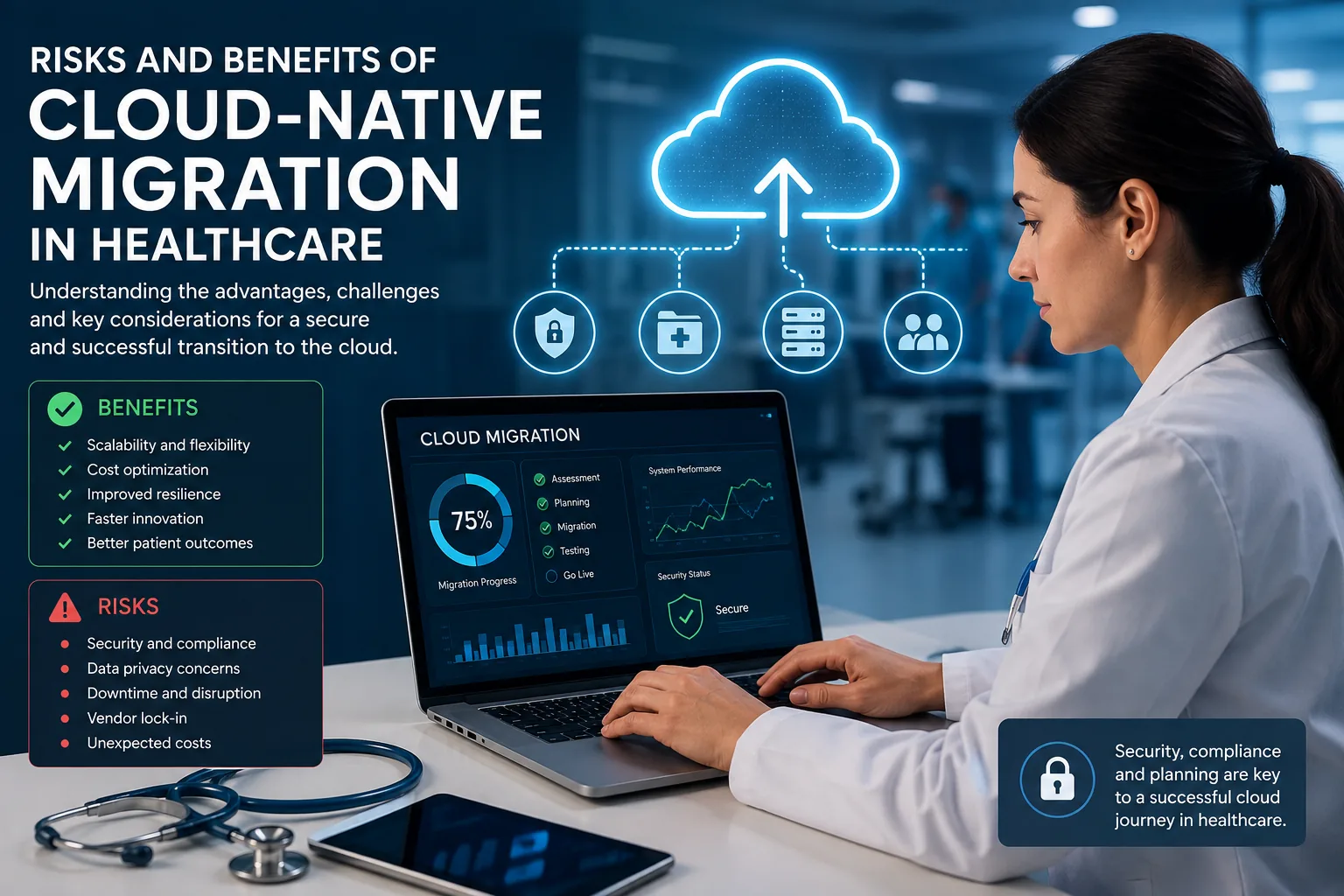
Understanding the risks and benefits of cloud-native migration in healthcare is therefore important before moving systems that clinicians, staff and patients may depend on every day.
What Is Cloud-Native Migration?
Traditional IT environments often consist of applications installed on servers that an organization owns or controls.
For example, an application might depend on a particular Windows server, database server, storage system and local network.
A basic cloud migration could simply move that virtual server from an organization’s data center into a cloud provider’s infrastructure. This approach is often called lift and shift.
Cloud-native migration goes further.
Instead of treating the cloud as another place to run traditional servers, cloud-native architectures are designed around capabilities available in modern cloud environments.
Those capabilities may include:
- Containers
- Microservices
- Managed databases
- Serverless computing
- Automated deployment
- Infrastructure as code
- Cloud-based identity services
- APIs
- Autoscaling
- Distributed storage
- Continuous monitoring
Not every healthcare organization needs all of these technologies. In fact, moving everything to a complex cloud-native architecture simply because the technology exists can create unnecessary cost and complexity.
The more important question is whether cloud-native capabilities solve a meaningful business, clinical or technology problem.
Why Healthcare Organizations Are Moving Toward the Cloud
Healthcare organizations generate and depend on enormous amounts of information.
For example, patient records have to remain accessible, while medical images can consume substantial amounts of storage. At the same time, multiple locations may need access to the same applications, remote employees need secure connectivity and patients increasingly expect online services.
Organizations also have to prepare for hardware failures, cyberattacks, natural disasters and other disruptions.
As a result, cloud platforms can help address several of these challenges. However, healthcare organizations gain the greatest benefits when they treat cloud migration as an architectural and risk-management decision rather than simply an infrastructure project.
Benefit #1: Greater Scalability
One of the most recognizable benefits of cloud computing is scalability.
Traditional infrastructure requires organizations to purchase enough computing capacity to support anticipated demand. That can mean buying servers, storage and networking equipment long before all of that capacity is actually needed.
Cloud environments can make it easier to increase or decrease resources as demand changes.
For example, an application experiencing a temporary increase in traffic may be able to add computing capacity automatically rather than waiting for someone to install another physical server.
That flexibility can be especially useful for healthcare organizations experiencing growth, adding locations or deploying new digital services.
Benefit #2: Reduced Dependence on Physical Infrastructure
Maintaining servers involves much more than purchasing hardware.
Organizations must also provide power and cooling, maintain warranties, manage storage and networking, protect physical facilities, monitor systems and replace aging equipment. In addition, they need reliable backup and disaster recovery strategies.
Moving appropriate workloads to the cloud can reduce some of that dependence on locally maintained infrastructure.
However, cloud migration doesn’t eliminate IT responsibility. Instead, it changes the nature of that responsibility.
Technology teams may spend less time maintaining physical hardware and more time managing identities, configurations, security policies, cloud resources and vendor relationships.
Benefit #3: Improved Availability and Resilience
Healthcare systems can be particularly sensitive to downtime.
If clinicians cannot access a critical application, the impact may extend beyond employee productivity.
Cloud architectures can provide options for distributing systems across multiple availability zones, regions or services. In addition, organizations can design workloads so that the failure of one component does not necessarily bring down the entire application.
However, there is an important distinction:
Using the cloud does not automatically make an application highly available.
Resilience has to be designed, configured and tested.
A poorly designed cloud environment can still fail.
Benefit #4: Faster Deployment
Traditional infrastructure projects may require an organization to purchase equipment, wait for delivery, install hardware, configure networking and then deploy the application.
By contrast, cloud platforms can often provision resources much faster. Development and infrastructure teams may create new environments in minutes rather than waiting days or weeks for physical equipment.
Automation can speed that process even further. Consequently, healthcare organizations developing applications or integrating new services may be able to shorten deployment cycles significantly.
Benefit #5: Access to Advanced Technology
Large cloud platforms provide access to technologies that would be expensive or complicated for many organizations to build independently.
These may include:
- Artificial intelligence services
- Machine learning
- Data analytics
- Managed databases
- Security monitoring
- Identity services
- Application development platforms
- Automated backup
- Global content delivery
- Disaster recovery capabilities
Healthcare organizations can potentially use those services to develop new capabilities without building the entire underlying infrastructure themselves.
However, every additional service also has to be evaluated for security, privacy and regulatory implications.
Benefit #6: Better Support for Distributed Healthcare Organizations
Healthcare isn’t always delivered from one building.
Medical practices may operate multiple offices. Health systems may have hospitals, clinics and administrative locations. Employees may also work remotely.
Cloud-hosted applications can make it easier to provide authorized users with access regardless of which facility they are working from.
That can reduce dependence on one physical office or data center.
However, greater accessibility also makes identity security increasingly important.
If applications are accessible from almost anywhere, organizations have to become much better at determining who is attempting to access them.
Risk #1: HIPAA Compliance Doesn’t Happen Automatically
One of the biggest misconceptions about healthcare cloud computing is that choosing a major cloud provider automatically makes an organization HIPAA compliant.
It doesn’t.
HHS allows covered entities and business associates to use cloud services to store or process electronic protected health information when they establish appropriate agreements, implement required safeguards and otherwise comply with the HIPAA Rules.
However, the healthcare organization still retains important responsibilities.
For example, the organization must understand its cloud environment, evaluate risks and implement appropriate safeguards for electronic protected health information. In addition, it must understand which responsibilities belong to the cloud provider and which remain with the customer.
Therefore, moving information to the cloud does not transfer an organization’s HIPAA responsibilities to the cloud provider.
HIPAA compliance is not something an organization can outsource simply by moving data to the cloud.
Risk #2: Misconfiguration
Cloud platforms provide tremendous flexibility. However, that flexibility also creates opportunities for configuration mistakes.
Incorrect storage permissions, firewall rules, identity policies, API access, administrative privileges and network settings can expose systems or sensitive information.
A cloud provider may secure the underlying infrastructure, while the customer remains responsible for configuring important parts of the environment. This division of responsibilities is commonly described as the shared responsibility model.
However, the exact boundary varies depending on the cloud service.
Therefore, healthcare organizations need to understand more than whether a provider offers strong security. They also need to identify which security controls they must configure, manage and monitor themselves.
Risk #3: Identity Becomes a Critical Security Boundary
Traditional organizations often relied heavily on the corporate network perimeter for protection.
Cloud computing changes that model because users can access applications from offices, homes, laptops, smartphones, tablets and third-party networks.
As a result, compromised credentials can become particularly dangerous.
Organizations can reduce this risk through controls such as:
- Multi-factor authentication
- Conditional access
- Least-privilege permissions
- Privileged account separation
- Strong authentication policies
- Regular access reviews
- Monitoring for suspicious login behavior
Therefore, cloud security increasingly requires organizations to protect identities as carefully as they once protected the physical network perimeter.
Risk #4: Vendor Dependency
Moving important applications and data into a cloud ecosystem can create substantial dependency on the provider.
That may not be a problem when the relationship works. However, it can become a problem when an organization wants to leave.
Before committing to a provider, healthcare organizations should ask:
- How can we export our data?
- In what format will we receive it?
- How long would migration to another provider take?
- What happens when the contract ends?
- Are there data-egress charges?
- Which application components depend on proprietary services?
- Can the application operate somewhere else?
The deeper an application becomes integrated with proprietary cloud services, the more difficult migration may become.
This is commonly called vendor lock-in.
Risk #5: Unexpected Cloud Costs
Cloud computing is often marketed as a way to reduce infrastructure costs. In some cases, it does exactly that.
However, cloud isn’t automatically cheaper.
Organizations may pay separately for computing, storage, databases, backups, data transfer, security services, logging, monitoring, technical support, redundancy and disaster recovery.
Furthermore, poorly managed cloud resources may continue running even when nobody needs them. Data-transfer charges can also become significant for workloads that move large quantities of information.
Therefore, organizations shouldn’t simply ask:
Is cloud cheaper?
A better question is:
What will this specific workload cost to operate in the cloud compared with the available alternatives?
Risk #6: Downtime During Migration
The finished cloud environment may provide excellent resilience. Nevertheless, the organization still has to migrate its systems safely.
During that process, problems can cause downtime and operational disruption.
Healthcare organizations should consider potential effects on clinical applications, scheduling, billing, patient portals, imaging, interfaces, laboratory systems, third-party integrations, authentication and remote access.
Dependencies often make migrations more complicated than expected.
For example, what appears to be a single application server may communicate with several databases, file shares, interfaces and external vendors.
Therefore, teams should identify and document those dependencies before migration begins.
Risk #7: Data Migration Problems
Moving large amounts of healthcare data isn’t always simple.
During migration, organizations may encounter corrupted files, missing records, permission problems, database inconsistencies, failed transfers, incompatible formats, broken integrations or duplicate data.
For that reason, a migration isn’t finished simply because someone copied the data to its new location.
Instead, the organization should validate that the information arrived correctly, confirm that users can access what they need and test whether applications and integrations continue operating as expected.
Risk #8: Backup and Disaster Recovery Assumptions
Another dangerous assumption is that storing information in the cloud automatically provides every type of backup an organization needs.
It doesn’t.
Availability, redundancy and backup solve different problems.
For example, a highly available service may continue operating when infrastructure fails. A backup, on the other hand, can help recover information after deletion, corruption, ransomware or another damaging event.
Therefore, healthcare organizations should clearly understand:
- What the provider backs up
- How frequently backups occur
- How long the provider retains them
- Where the backups reside
- Who can delete them
- How quickly the organization can restore data
- Whether anyone has actually tested restoration
Most importantly, don’t assume that a backup works simply because a dashboard says the backup completed successfully. Organizations should periodically test recovery.
Risk #9: Business Associate Agreements and Vendor Relationships
Healthcare cloud environments often involve more companies than organizations initially realize.
There may be:
- Cloud infrastructure providers
- Software vendors
- Backup providers
- Managed service providers
- Security providers
- Application developers
- Data analytics services
If a cloud service provider creates, receives, maintains or transmits ePHI on behalf of a covered entity or business associate, HHS generally considers that provider a business associate.
That can remain true even when the provider stores encrypted ePHI and does not possess the encryption key.
As a result, vendor review should be part of healthcare cloud migration from the beginning.
Risk #10: Assuming Encryption Solves Everything
Encryption is extremely important because it makes data far more difficult for unauthorized users to read.
However, encryption doesn’t solve every security problem.
Encrypted data can still become unavailable during an outage, corrupted by malware or exposed through weak identities, poor permissions or other security failures.
Therefore, healthcare cloud security has to include more than simply checking an “encryption enabled” box.
Organizations also need to consider access control, monitoring, resilience, backup, recovery and system integrity.
Cloud-Native vs. Lift-and-Shift Migration
Not every healthcare workload should immediately be rebuilt as a cloud-native application.
Sometimes lift and shift makes sense.
For example, an organization might move an existing virtual machine to cloud infrastructure with relatively few application changes.
This can simplify migration. However, it may not provide all of the benefits associated with cloud-native architecture.
A cloud-native approach may redesign the application around managed services, containers, APIs or other cloud capabilities.
That can improve scalability and flexibility, but it may also require considerably more development work.
The correct migration strategy depends on the application.
Organizations shouldn’t refactor an application simply because cloud-native architecture sounds more modern.
What Should Healthcare Organizations Evaluate Before Migrating?
Before moving a healthcare workload to the cloud, an organization first needs to understand exactly what it is moving and why.
Start by determining whether the system contains ePHI and identifying the people who depend on it. Next, map the applications, databases, interfaces and external services that communicate with the system.
This dependency mapping is important because a seemingly simple application may rely on several other systems to operate correctly.
Healthcare organizations should also determine what happens if the workload becomes unavailable.
For example, a clinical application may require a much faster recovery time than an administrative system that employees use only occasionally.
In addition, evaluate the following questions:
- Does the system contain ePHI?
- Who uses the application, and from where?
- Which applications and services depend on it?
- What other systems does it communicate with?
- What happens if it becomes unavailable?
- How much data does it currently contain?
- How quickly is that data growing?
- What are the required recovery times?
- Which vendors are involved?
- Is a Business Associate Agreement required?
- How will users authenticate?
- How will privileged access be controlled?
- How will administrators monitor activity?
- What backup and recovery strategy will protect the data?
- How will the organization test restoration?
- What is the exit strategy if the organization later changes providers?
Ultimately, these aren’t merely technical questions. They are business, operational, security and risk-management questions that should shape the migration strategy from the beginning.
A Cloud Migration Should Start With Risk, Not Technology
It can be tempting to begin a cloud project by comparing providers, services and technical features.
However, healthcare organizations should start one step earlier:
What problem are we trying to solve?
Perhaps aging infrastructure needs replacement. Alternatively, the organization may need better disaster recovery, support for additional locations or improved application performance.
In other cases, maintaining an on-premises data center may have become too expensive, or the organization may need capabilities that aren’t practical to build internally.
Once leaders clearly define the business problem, they can evaluate technology against it.
Otherwise, an organization can spend considerable time and money moving systems to the cloud without actually improving anything.
How Can Healthcare Organizations Reduce Cloud Migration Risk?
A successful migration involves much more than copying data and turning on new servers.
Instead, healthcare organizations should approach migration as a controlled process.
- Inventory systems and data. First, identify applications, servers, integrations and ePHI before making migration decisions.
- Map dependencies. Next, determine how applications, databases, users and vendors communicate with one another.
- Perform a risk analysis. Evaluate threats, vulnerabilities and potential business impact before and after migration.
- Review vendors. In addition, understand responsibilities, BAAs, contracts, security controls and exit procedures.
- Design identity security. Plan authentication, MFA, privileged access and account lifecycle management before users begin accessing the new environment.
- Plan backups and recovery. Don’t assume the cloud provider’s default configuration meets the organization’s recovery requirements.
- Test before cutting over. Validate applications, integrations, authentication and data before moving production workloads.
- Create a rollback plan. If something goes wrong, the team should already know how it will return to a working environment.
- Monitor after migration. Once the migration finishes, watch for misconfigurations, security events, unusual costs and operational problems.
- Review the environment regularly. Finally, remember that cloud environments change. Teams should periodically reassess permissions, configurations, costs and security controls.
Is Cloud-Native Migration Worth It for Healthcare?
For many healthcare organizations, it can be.
Cloud-native technology can provide scalability, flexibility, resilience and access to capabilities that would be difficult or expensive to build independently.
However, those benefits aren’t automatic.
A poorly planned migration can introduce security vulnerabilities, unexpected costs, downtime, vendor dependency and compliance problems.
Conversely, a carefully planned migration can modernize infrastructure while improving resilience and giving organizations greater flexibility.
Therefore, healthcare leaders shouldn’t treat cloud migration as simply another technology upgrade.
It is an architectural, operational, financial and security decision.
Frequently Asked Questions
Is cloud computing HIPAA compliant?
HIPAA doesn’t designate cloud computing itself as compliant or noncompliant.
Healthcare organizations can use cloud services for ePHI when appropriate agreements and safeguards are in place and the organization otherwise complies with the HIPAA Rules.
Does a healthcare organization need a BAA with its cloud provider?
When a cloud service provider creates, receives, maintains or transmits ePHI on behalf of a covered entity or business associate, a Business Associate Agreement is generally required.
Is encrypted healthcare data in the cloud still considered ePHI?
Yes.
Encryption helps protect the data, but it doesn’t remove the information from HIPAA simply because the provider cannot easily read it.
Is cloud computing more secure than on-premises infrastructure?
Neither architecture is automatically more secure.
Security depends on architecture, configuration, identity controls, monitoring, patching, backups, operational processes and the people managing the environment.
Does moving to the cloud eliminate the need for backups?
No.
Availability, redundancy and backup solve different problems. Organizations should understand their provider’s backup capabilities, retention periods and restoration procedures and determine whether additional protection is necessary.
Can cloud migration reduce healthcare IT costs?
It can, particularly when it reduces hardware purchases or improves infrastructure utilization.
However, cloud computing also introduces consumption-based costs for computing, storage, data transfer, logging, backup and other services.
Therefore, organizations should model the total cost of a workload before migrating.
The Bottom Line
The risks and benefits of cloud-native migration in healthcare extend far beyond where an application or database physically resides.
On one hand, cloud-native technology can provide substantial benefits, including scalability, resilience, faster deployment, reduced dependence on physical infrastructure and access to powerful cloud services.
On the other hand, healthcare organizations must account for ePHI, HIPAA requirements, identity security, misconfiguration, vendor relationships, backups, disaster recovery, application dependencies, downtime and long-term costs.
Ultimately, the best cloud migration isn’t necessarily the one that moves the most technology.
Instead, the best migration solves a real business or clinical problem while protecting the information and systems the organization depends on.
Leave a Reply Cancel reply